 Maya Patel
 Alex Morgan
 Sam Taylor
 Jordan Lee
AI Impact
Evaluate AI coding assistant adoption alongside delivery and quality outcomes.
Explore AI ImpactAI Code Attribution · Blamely
Your code. Your attribution. Your Git. Blamely runs locally, including in air-gapped environments. Connect code origin to review, rework, and delivery with Oobeya.
AI attribution alongside delivery and usage
75,403 of 123,666 added lines are AI-attributed.
158commits/week
36.2min
1,401hours
17developers
Explore AI contribution, then compare it with delivery and quality trends.
 Claude Code
 Cursor
 GitHub Copilot
 Codex CLI
 Gemini CLI
 Devin
Devin OpenCode
macOS, Windows, and Linux · CLI and editor integrations · Capture varies by tool
How it works
Start with the source of a change. Add the engineering context needed to decide what to investigate.
Read the technical documentation (opens in a new tab)A background CLI records supported assistant edits. Editor extensions add signals such as accepted inline completions.
Changed lines are matched to their source and stored under refs/notes/blamely. Push those notes when you choose.
Use Oobeya to investigate AI adoption alongside review time, rework, quality, and delivery performance.
In the developer workflow
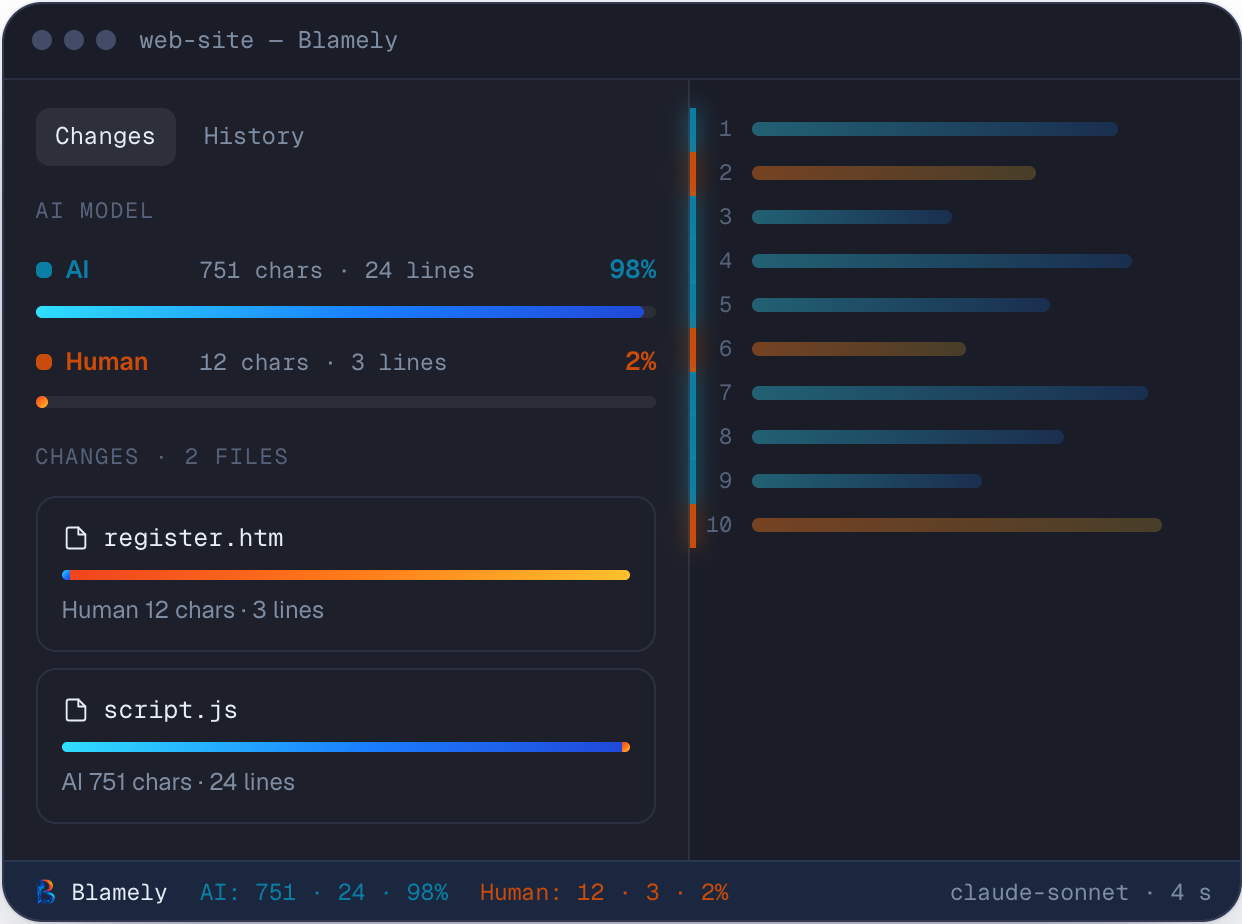
Blue and orange gutter marks distinguish AI and human contributions. Inspect provenance, file changes, and the current attribution split inside the editor.
Commit-level evidence
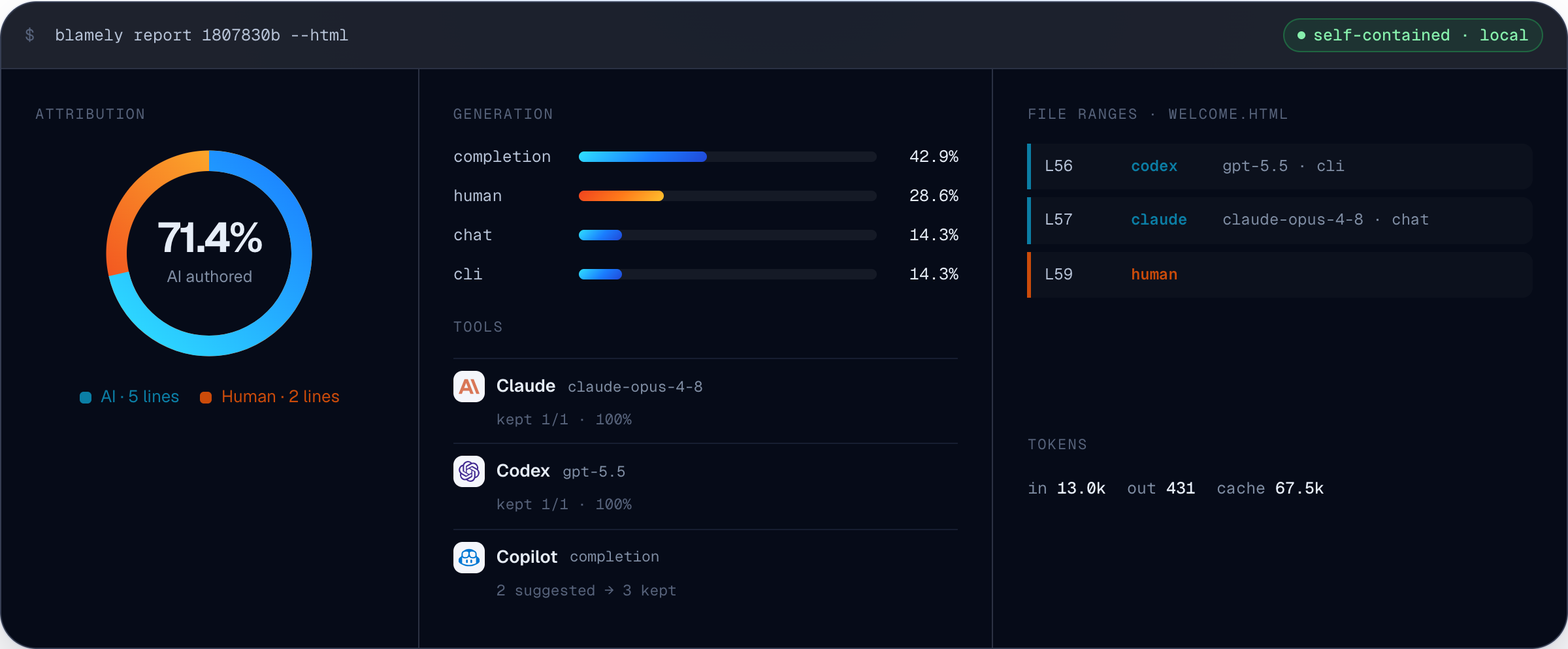
Generate a local HTML report with blamely report --html. Inspect AI share, tools, models, and attributed file ranges.
Blamely + Oobeya
A higher AI share can coincide with faster delivery, more review work, or more rework. Compare the signals before deciding what to change.
| Metric | Question to investigate | Product context |
|---|---|---|
| AI code share | What portion of work is AI-assisted or AI-generated? | Blamely attribution reports |
| Pull request cycle time | How do AI-assisted changes move through review? | AI Impact + PR analytics |
| Code churn | Is AI-generated code being rewritten, reverted, or deleted? | Attribution + code churn |
| Review load | Where is review effort increasing? | Review analytics |
| Quality trends | How does AI-assisted work relate to defects and quality findings? | Quality + delivery metrics |
| Cost context | How does AI spending relate to adoption and delivery trends? | AI Impact + cost monitoring |
Explore further
Evaluate AI coding assistant adoption alongside delivery and quality outcomes.
Explore AI ImpactReview strengths, risks, and areas for improvement across AI-assisted engineering.
Explore AI InsightsExplore how attribution signals connect to your Oobeya environment.
Explore Blamely integrationCommon questions
Need to discuss your team or technical setup? Contact us.
It records whether committed lines came from a person or a supported AI assistant. Blamely also identifies the assistant and model where that information is available.
Git blame identifies the commit author. Blamely captures the origin of the code, including AI suggestions accepted by that author.
The CLI, daemon, and attribution database run locally. Attribution is stored in Git notes. Connecting those signals to Oobeya is a separate integration step.
Claude Code, Cursor, GitHub Copilot, Codex CLI, Gemini CLI, Devin, and OpenCode. Editor integrations include VS Code, Cursor, JetBrains, and Antigravity. Capture methods differ by tool.
Attribution relies on captured tool activity and available attribution records. Git history alone does not reliably reveal whether a past change was written by AI.
AI share describes how code was produced. Evaluate it alongside review effort, code churn, quality, delivery, and cost to understand the results. A correlation alone does not establish causation.
See Oobeya in practice
See how Blamely attribution and Oobeya help your team investigate AI adoption, review effort, and delivery performance.