See workload imbalance visually
Use color intensity over time to spot overload, low participation, and uneven work distribution before it becomes delivery friction.
Activity Heatmap
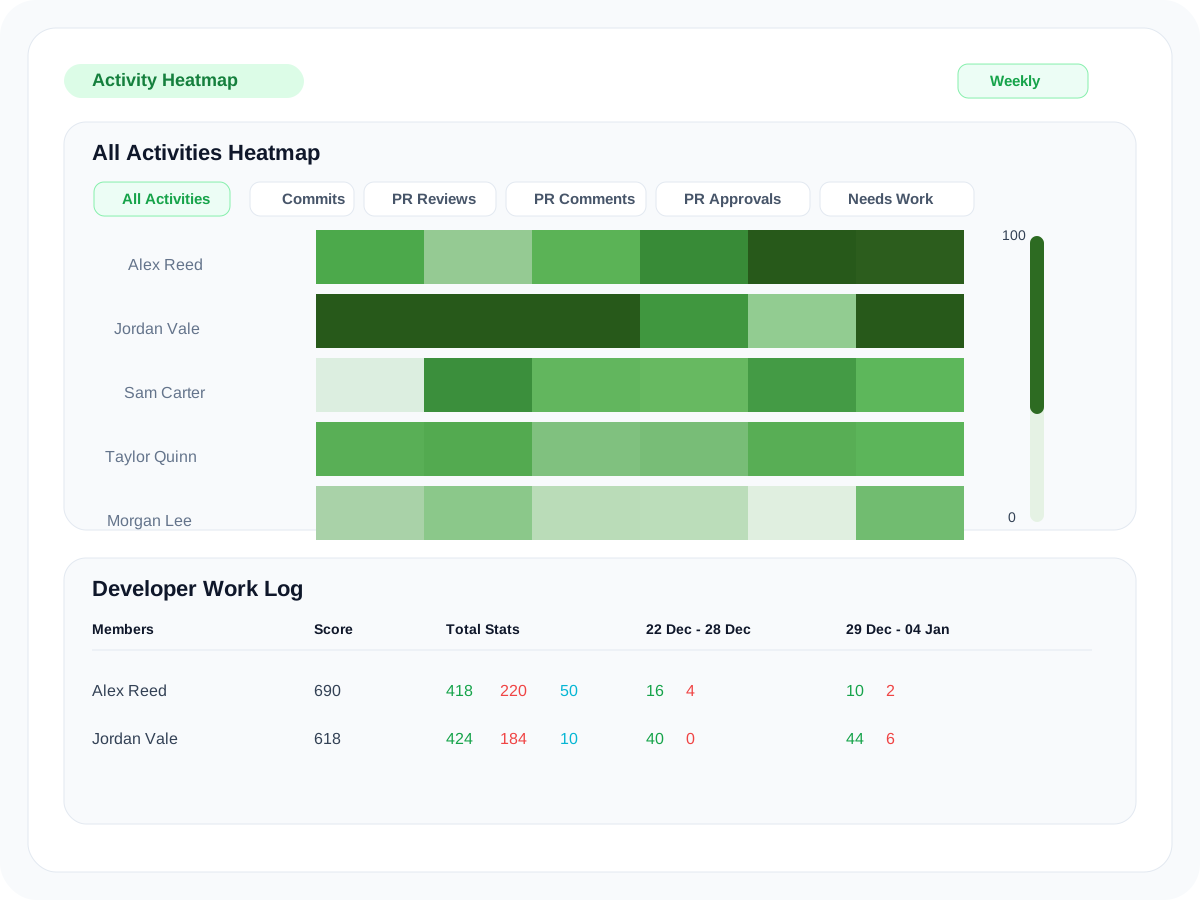
Oobeya Activity Heatmap visualizes developer activity trends over time so teams can see contribution intensity, review culture, and unhealthy work patterns in one shared operating view.
Inside Oobeya
What teams can understand
The point of Activity Heatmap is not raw activity for its own sake. It is to make workload balance, review participation, and collaboration patterns easier to inspect over time.
Use color intensity over time to spot overload, low participation, and uneven work distribution before it becomes delivery friction.
Switch across commits, pull requests, reviews, approvals, comments, and needs-work signals to understand how the work is happening.
Focus the heatmap on the teams, roles, and time windows that matter for the operating question in front of you.
Move from the visual heatmap into the developer work log to see the daily activity counts behind the score.
Scoring logic
According to the Oobeya docs, Activity Heatmap normalizes daily contribution signals against the highest activity in the selected day, then maps scores into a 0-100 range for clearer comparison across people and time windows.
Step 1
Commits, PRs, reviews, approvals, comments, and code changes contribute to the score.
Step 2
The strongest contribution of the day becomes the reference point, helping comparisons stay fair.
Step 3
Admins can weight commits, reviews, comments, and other actions differently based on internal priorities.
Step 4
Darker tones represent higher activity intensity, making imbalance and unusual patterns easy to spot.
Where teams apply it
The docs position Activity Heatmap as a team management tool for fairness, balance, and healthier work practices, not just a static chart.
Review contribution intensity and team balance with more context than a simple output metric.
See whether load is piling up around a small group of developers and intervene earlier.
Look at PR reviews, approvals, and comments to understand how collaboration is actually distributed.
Use patterns over time to guide team conversations, not to turn the heatmap into a simplistic scorecard.
FAQ
The module is built to make team activity patterns easier to interpret without forcing teams into simplistic productivity narratives.
It helps teams detect workload imbalance, unhealthy work patterns, and contribution concentration before those issues spill into delivery or team health problems.
Ready to inspect team patterns differently?
Review the heatmap, work log, and scoring model in context so teams can discuss activity patterns more clearly.
You are safe with us


